Appearance
快速开始
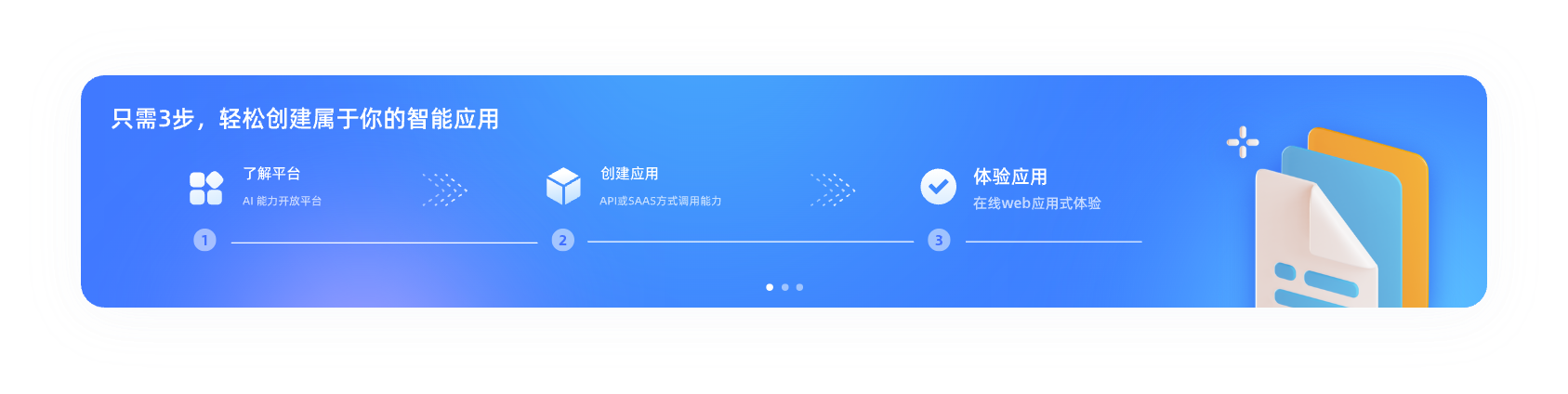
📖 平台介绍
韦尼克平台是必优科技推出的一站式 AI 能力开放平台,面向企业与开发者提供标准化、可扩展的智能生成服务。
通过韦尼克平台,你可以:
通过韦尼克平台,你可以:
- 创建并管理多个应用,每个应用拥有独立的鉴权信息
- 按需接入智能 PPT、智能简历、智能合同等 AI 能力
- 查看调用情况、用量消耗与账单记录
- 以 API 或 SaaS 方式,将 AI 能力快速集成到自有系统中
🚀 创建第一个应用
在调用接口之前,你需要先在平台中创建一个应用,用于获取接口调用所需的鉴权信息。
操作步骤
操作步骤
- 登录韦尼克平台控制台
- 进入 「应用管理」 页面
- 点击 「创建应用」
- 填写应用基础信息(应用名称、应用类型等)
- 应用 Token(用于接口鉴权)
- 应用唯一标识 App ID
🔍 第一次调用示例
完成应用创建后,即可使用获取到的 Token 发起接口调用。
以下示例以 智能 PPT API 为例,演示一次基础的接口调用流程。
以下示例以 智能 PPT API 为例,演示一次基础的接口调用流程。
请求示例
该示例为方案一:01-描述(主题)一键生成PPT。
import requests import json import timeBASE_URL = "https://saas.api.yoo-ai.com/apps" BEARER_TOKEN = "Yoo-您应用的Token" # 替换为你的真实Token HEADERS = { "Authorization": f"Bearer {BEARER_TOKEN}", "Content-Type": "application/json" }
def create_ppt(text: str, **kwargs) -> str: """ 步骤1:调用PPT生成接口,获取任务ID """ url = f"{BASE_URL}/ppt-create" # 构造默认参数,支持传入kwargs覆盖 data = { "text": text, "complex": 1, "font_name": "黑体", "language": "zh-CN", "color": "随机", "user_name": "尤小优", "ai_picture": False, "report": False, **kwargs }
try: response = requests.post(url, headers=HEADERS, json=data, timeout=30) response.raise_for_status() result = response.json() if result.get("code") == 200 and result.get("data", {}).get("id"): task_id = result["data"]["id"] print(f"✅ 步骤1 - PPT生成任务创建成功,任务ID:{task_id}") return task_id else: print(f"❌ 步骤1 - 任务创建失败:{result.get('msg')}") return "" except Exception as e: print(f"❌ 步骤1 - 请求异常:{str(e)}") return ""def get_ppt_result(task_id: str) -> dict: """ 步骤2:轮询查询PPT生成结果,直到状态为已完成/失败 """ url = f"{BASE_URL}/ppt-result" params = {"id": task_id} max_retry = 20 # 最大轮询次数 retry_interval = 5 # 轮询间隔(秒)
for i in range(max_retry): try: response = requests.get(url, headers=HEADERS, params=params, timeout=30) response.raise_for_status() result = response.json() if result.get("code") != 200: print(f"❌ 步骤2 - 查询失败:{result.get('msg')}") return {} data = result.get("data", {}) status = data.get("status") progress = data.get("progress") print(f"🔄 步骤2 - 轮询中 [{i+1}/{max_retry}] | 进度:{progress}% | 状态:{data.get('state_description')}") if status == 2: # 2=已完成 print(f"✅ 步骤2 - PPT生成完成,页数:{data.get('page_count')}") return data elif status == 3: # 3=生成失败 print(f"❌ 步骤2 - PPT生成失败:{data.get('state_description')}") return {} else: time.sleep(retry_interval) except Exception as e: print(f"❌ 步骤2 - 轮询异常:{str(e)}") time.sleep(retry_interval) print(f"❌ 步骤2 - 轮询超时,未获取到完成状态") return {}def download_ppt(task_id: str) -> str: """ 步骤3:调用下载接口,获取PPT下载链接 """ url = f"{BASE_URL}/ppt-download" params =
try: response = requests.get(url, headers=HEADERS, params=params, timeout=30) response.raise_for_status() result = response.json() if result.get("code") == 200: download_url = result["data"].get("download_url") print(f"✅ 步骤3 - 下载链接获取成功:\n{download_url}") return download_url else: print(f"❌ 步骤3 - 下载链接获取失败:{result.get('msg')}") return "" except Exception as e: print(f"❌ 步骤3 - 请求异常:{str(e)}") return ""def get_editor_url(task_id: str, expire: int = 86400) -> dict: """ 步骤4:调用编辑器接口,获取在线编辑链接 """ url = f"{BASE_URL}/ppt-editor" data = { "id": task_id, "expire": expire, "report": False }
try: response = requests.post(url, headers=HEADERS, json=data, timeout=30) response.raise_for_status() result = response.json() if result.get("code") == 200: editor_info = result["data"] print(f"✅ 步骤4 - 编辑器链接获取成功:\n{editor_info.get('url')}") print(f"🔗 链接过期时间:{editor_info.get('expire_time')}") return editor_info else: print(f"❌ 步骤4 - 编辑器链接获取失败:{result.get('msg')}") return {} except Exception as e: print(f"❌ 步骤4 - 请求异常:{str(e)}") return {}if name == "main": # 1. 创建PPT生成任务 task_id = create_ppt( text="生成一份AI大模型技术原理与应用的PPT", complex=2, font_name="宋体", color="蓝色", user_name="技术文档组", ai_picture=True ) if not task_id: exit()
# 2. 查询生成结果(轮询直到完成) ppt_data = get_ppt_result(task_id) if not ppt_data: exit() # 3. 下载PPT文件 download_url = download_ppt(task_id) # 4. 获取在线编辑器链接 editor_info = get_editor_url(task_id, expire=3600)
输出示例
✅ 步骤1 - PPT生成任务创建成功,任务ID:SRHwgnmQXgcuRpFBmjzqwa7QMC9z2WyP
🔄 步骤2 - 轮询中 [1/20] | 进度:0% | 状态:正在生成标题
🔄 步骤2 - 轮询中 [2/20] | 进度:0% | 状态:正在生成大纲
🔄 步骤2 - 轮询中 [3/20] | 进度:0% | 状态:正在生成演示内容
🔄 步骤2 - 轮询中 [4/20] | 进度:0% | 状态:正在生成演示内容
🔄 步骤2 - 轮询中 [5/20] | 进度:0% | 状态:正在生成演示内容
🔄 步骤2 - 轮询中 [6/20] | 进度:0% | 状态:正在生成演示内容
🔄 步骤2 - 轮询中 [7/20] | 进度:0% | 状态:正在生成演示内容
🔄 步骤2 - 轮询中 [8/20] | 进度:0% | 状态:正在生成演示内容
🔄 步骤2 - 轮询中 [9/20] | 进度:0% | 状态:正在生成演示内容
🔄 步骤2 - 轮询中 [10/20] | 进度:40% | 状态:正在渲染5/21页
🔄 步骤2 - 轮询中 [11/20] | 进度:80% | 状态:正在输出文件...
🔄 步骤2 - 轮询中 [12/20] | 进度:80% | 状态:正在输出文件...
🔄 步骤2 - 轮询中 [13/20] | 进度:80% | 状态:正在输出文件...
🔄 步骤2 - 轮询中 [14/20] | 进度:80% | 状态:正在输出文件...
🔄 步骤2 - 轮询中 [15/20] | 进度:80% | 状态:正在输出文件...
🔄 步骤2 - 轮询中 [16/20] | 进度:80% | 状态:正在输出文件...
🔄 步骤2 - 轮询中 [17/20] | 进度:100% | 状态:生成已完成...
✅ 步骤2 - PPT生成完成,页数:21
✅ 步骤3 - 下载链接获取成功:
https://yoo-web-public.gz.bcebos.com/chatppt/20260126/9lgka3ltgclwj.pptx?authorization=bce-auth-v1%2FALTAK7YW57hmnPzhWsz3GT3DUV%2F2026-01-26T08%3A42%3A44Z%2F3600%2F%2F22ac7da83a88e70f81b0e9e45312881f3fc53a16863f3fffacf9a317796928e8
✅ 步骤4 - 编辑器链接获取成功:
https://aigc.yoo-ai.com/editor?id=api%3ASRHwgnmQXgcuRpFBmjzqwa7QMC9z2WyP&token=H5H26DT5DFVQ4VSSTR67DK5HQXMXAEBJ&report=0
🔗 链接过期时间:2026-01-26 17:42:44